

Free Payroll Software Comparison Guide
Selecting the right payroll system is a strategic decision that impacts accuracy, regulatory compliance, employee trust, and operational cost control. This guide adopts a corporate, trustworthy perspective to help procurement and finance teams evaluate and implement free payroll software options when they have clear research and purchasing intent. We examine core capabilities, security and legal controls, integration paths, implementation and migration planning, vendor evaluation best practices, and governance checkpoints that reduce risk and support growth.
Why Consider Free Payroll Software
No-cost payroll offerings can reduce initial expenditure and let smaller organisations automate repetitive payroll tasks without a license outlay. They are useful for proof-of-concept work, early-stage companies, or departments that need to validate digital payroll workflows before committing to a paid solution. That said, no-cost options vary widely in scope: some provide a conservative feature set ideal for simple payrolls, while others are community-driven projects that demand internal IT investment. Understand the trade-offs and operational implications before moving a production payroll to any free solution.
Primary advantages
- Lower upfront investment: Eliminates licensing fees for pilot and short-term projects.
- Accelerated evaluation: Free tiers enable quick functional testing without procurement delays.
- Basic automation: Core tasks like gross-to-net calculation, payslip generation, and basic direct deposit may be available immediately.
Key limitations to plan for
- Restricted capabilities: Advanced taxation, garnishments, or multi-country payroll frequently require paid upgrades.
- Limited vendor support: Community forums or email-only support can extend resolution times for critical issues.
- Regulatory gaps: Not all vendors push timely legislative updates; in complex jurisdictions, that can create compliance exposure.
Core Features to Evaluate
When evaluating no-cost payroll solutions, prioritise features that materially affect accuracy, security, and compliance. A minimalist payroll tool can suffice for simple organisations, but the following capabilities are minimum expectations for a reliable payroll operation.
Payroll calculation and tax handling
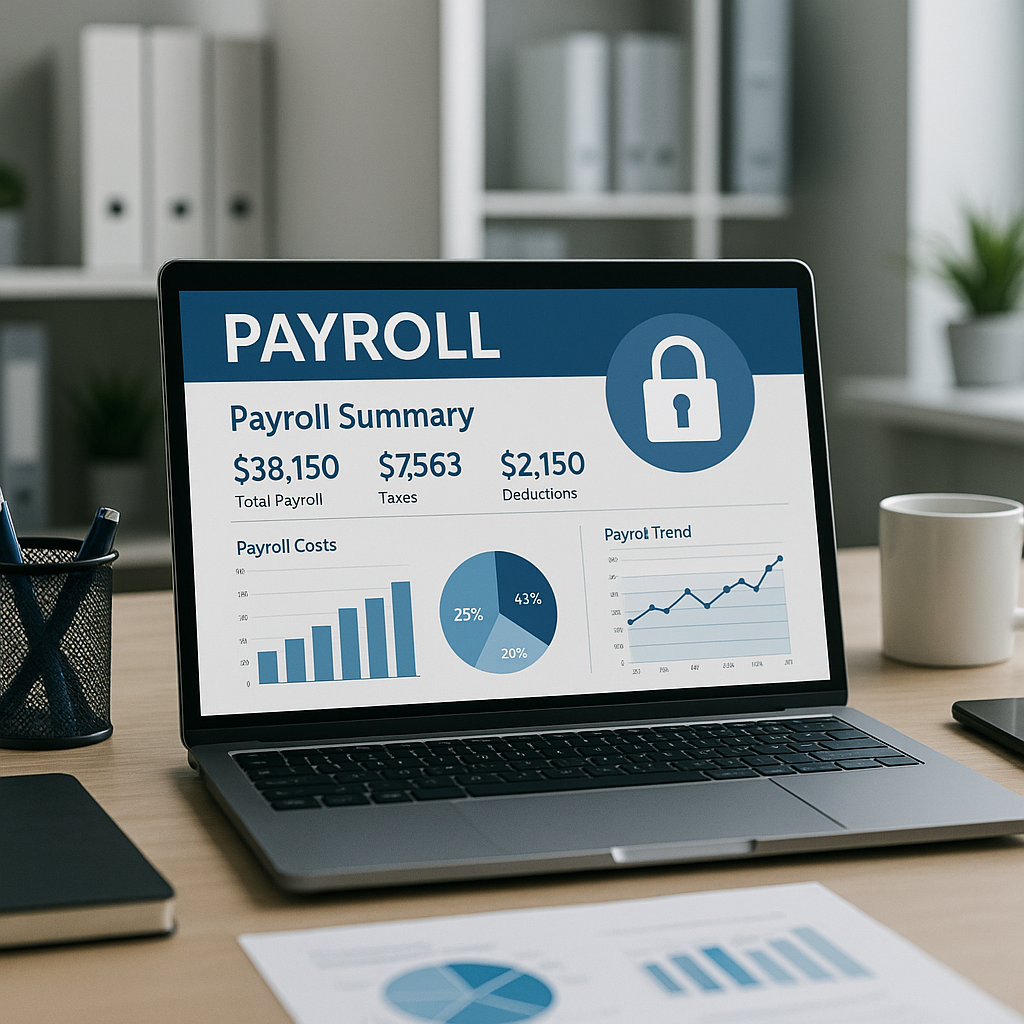
Ensure the product offers automatic gross-to-net calculations, configurable statutory deductions, and mechanisms for applying local payroll rules. The ability to update tax tables quickly—via vendor push updates or via manual import—is critical to avoid remittance errors and penalties.
Pay runs and scheduling
Flexibility to define multiple pay frequencies, conduct bulk runs, and manage off-cycle payments reduces administrative overhead. The solution should allow run previews, detailed reconciliation reports, and downloadable payslips for distribution.
Employee self-service
Self-service portals for payslip access, year-end tax forms, and personal information updates significantly lower HR requests. Verify that employee access is secure and that audit logs capture access events.
Reporting and audit trails
Comprehensive reports and immutable logs are necessary for internal controls and external audits. At minimum, the free tier should expose essential payroll reports and a record of changes to employee and payroll records.
Data export and integrations
Export functionality and connectors determine how easily payroll data flows to accounting, HR, and timekeeping systems. Look for CSV/Excel exports, pre-built integrations, and APIs. If integrating with professional services automation, consult resources like Psa Software Buying Guide for architecture guidance.
Security and Compliance Requirements
Payroll contains highly sensitive personal and financial data. Even zero-cost products must adhere to robust security standards. Validate controls across encryption, access management, logging, and data residency before any production use.
Data encryption and storage
Confirm encryption in transit and at rest, and ask for details on key management. Know the vendor’s data center locations and whether they comply with your jurisdiction’s residency requirements or cross-border transfer rules.
Access controls and authentication
Role-based access controls and multi-factor authentication (MFA) are minimum requirements. Ensure administrators can restrict visibility by role and that there is an audit trail for account provisioning and privilege changes.
Compliance features
Ask whether the provider offers statutory filing automation, tax form exports, or the option to generate regulator-ready files. For specialised industries or multi-jurisdiction operations, confirm that paid tiers or third-party extensions cover those obligations.
Top Free Options and Deployment Models
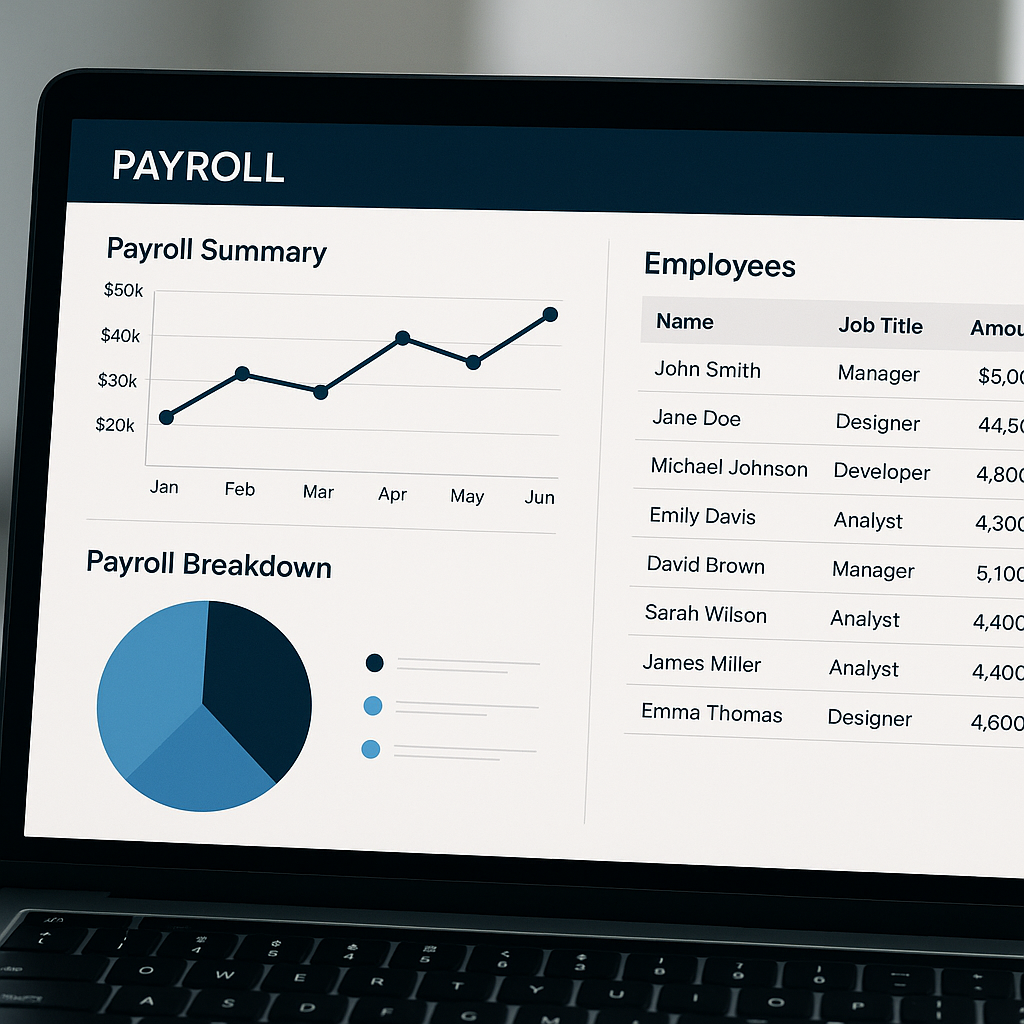
There are three primary deployment models to consider: vendor-hosted free tiers, open-source packages you self-host, and payroll modules bundled with broader HR platforms. Each model serves different risk profiles and resourcing capabilities.
1. Cloud providers with complimentary tiers
Many cloud payroll vendors offer limited-cost plans aimed at micro-businesses. These plans typically include basic payroll runs, payslip creation, and minimal records management. They are best for organisations that prioritise ease of setup and minimal IT overhead, with clear upgrade pathways when complexity increases.
2. Open-source and self-hosted projects
Open-source options give transparency and control over code and hosting. They are attractive for organisations with dedicated IT teams that can manage deployments, patching, and security. Factor in the total cost of ownership for maintenance, compliance updates, and backups before committing.
3. Payroll modules bundled with HR suites
Some HR platforms include a payroll component at no extra charge. These integrated suites simplify data consistency across HR and payroll, but check whether the bundled payroll supports mandatory filings and if the vendor provides reliable support for critical payroll activities.
How to Evaluate and Compare Solutions
A consistent evaluation framework reduces procurement risk and helps stakeholders make defensible choices. Adopt a weighted scoring approach, run comparisons across pilot projects, and prioritise vendors that align with your strategic roadmap.
Create a scoring matrix
Establish categories such as functional completeness, security posture, compliance coverage, integration capability, vendor support, total cost of ownership, and scalability. Assign weights according to business priorities and score each solution objectively. Document the rationale so decision-makers understand trade-offs.
Run parallel payroll pilots
Run parallel payrolls for several pay cycles before cutover. Parallel testing surfaces functional and reconciliation issues that documentation alone does not reveal—especially around tax withholding, benefit deductions, and net pay calculation across pay types.
Assess vendor stability and roadmap
Review the provider’s financial health, release cadence, and public roadmap. Free offerings from unstable vendors can introduce operational risk if the product is deprecated or support ceases. For mission-critical integrations, vendor longevity and clear product evolution plans matter.
Integration and Ecosystem Considerations
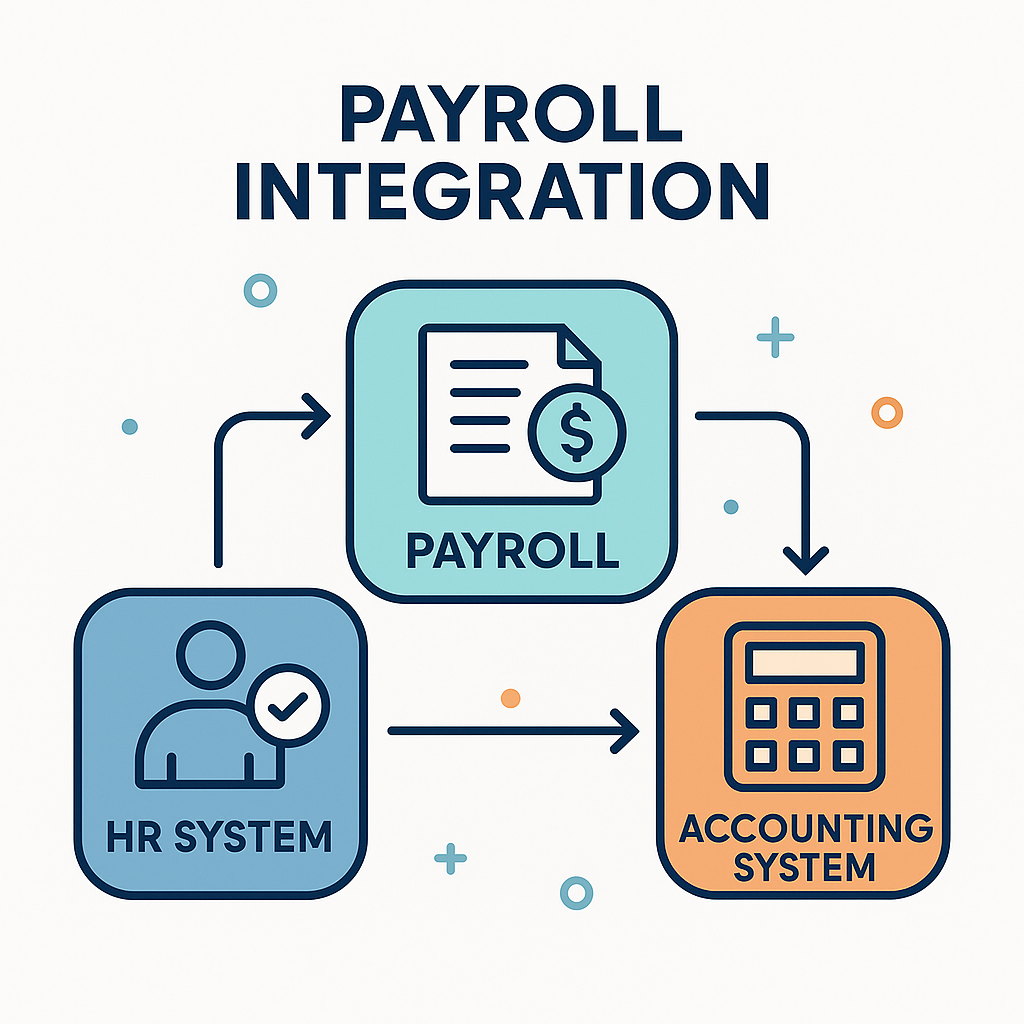
Payroll generally interfaces with HR, time tracking, accounting, benefits administration, and possibly project-costing systems. Map those integrations early and verify supported methods—native connectors, APIs, or file exports—so you avoid prolonged manual reconciliation work.
HR and time tracking
Automated time and attendance integration prevents manual timesheet entry errors. Where native connectors are absent, design a robust CSV import process or a middleware solution to synchronise hours, leave, and overtime accurately.
Accounting and GL mapping
General ledger reconciliation must be straightforward. Ensure the system supports cost centre allocation, export formats compatible with your finance system, and the option to automate journal creation for payroll runs.
Professional services and specialty tools
When payroll needs to align with project accounting or PSA systems, confirm how payroll costs and labour allocations map to revenue recognition and project budgets. For guidance on integrating operational tools, see resources like Hvac Proposal Software Selection And Roi.
Implementation Checklist
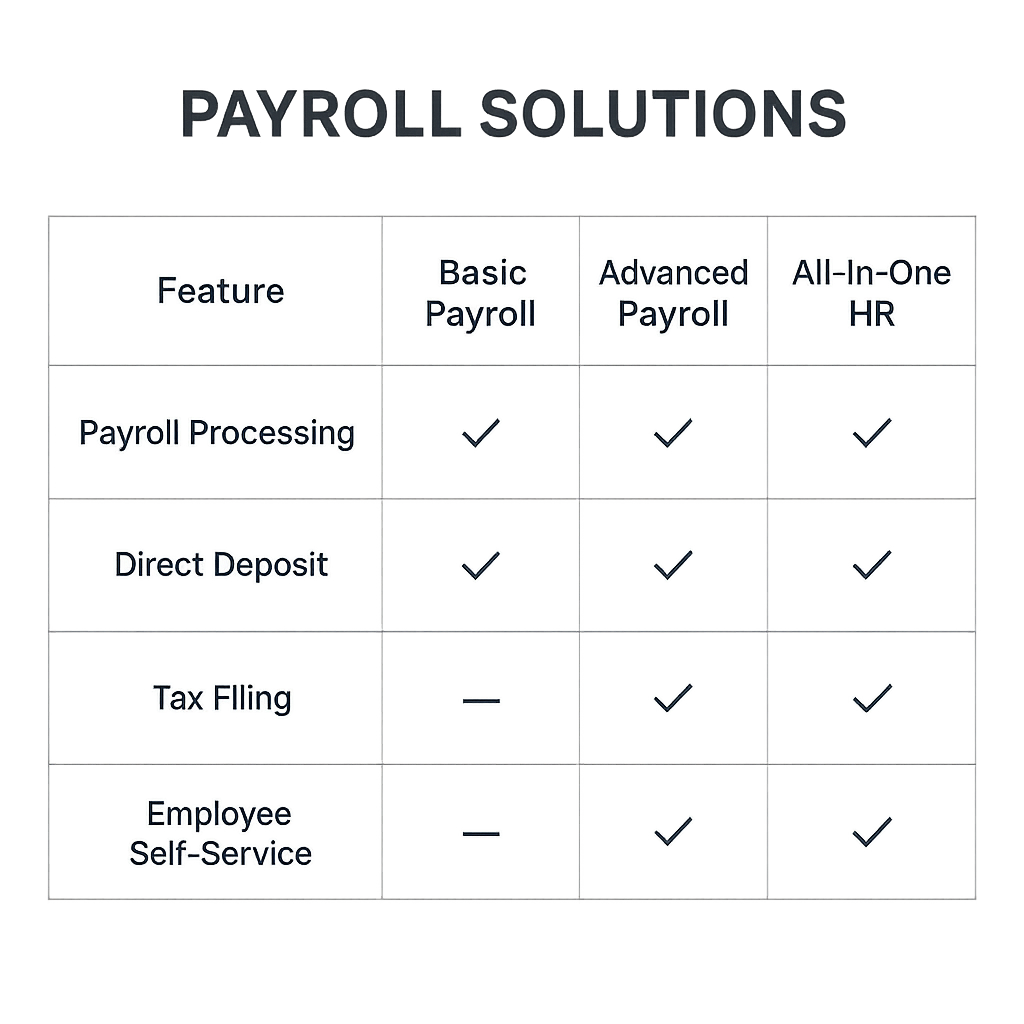
A methodical implementation shortens time-to-value and reduces error rates. The checklist below provides a pragmatic sequence from planning through post-live validation and support.
Pre-implementation
- Document current payroll processes, pay schedules, stakeholders, and escalation paths.
- Map data sources and identify data owners for employee records, payroll history, and tax identifiers.
- Confirm statutory and tax obligations for each operating jurisdiction.
- Create a risk register to track potential compliance, security, and operational impacts.
Configuration and testing
- Define pay cycles, earnings codes, deduction rules, and employer contributions.
- Establish test environments, migrate a representative sample of employee data, and validate historical adjustments.
- Run comprehensive test and parallel pay cycles, reconcile outputs to the incumbent system, and document discrepancies.
- Create rollback plans and data backups before any production cutover.
Go-live and post-implementation
- Conduct at least one parallel, production-level pay run and validate tax deposits, withheld amounts, and payslip distribution.
- Monitor first three live cycles closely for reconciliation variances and employee inquiries.
- Document support contacts, escalation procedures, and a schedule for periodic reviews and system updates.
- Plan a phased feature adoption strategy rather than turning on all modules at once.
Cost Considerations Beyond License Fees
Zero-cost software still carries costs: migration, personnel time, external consultancy, and potential paid add-ons. Account for these to get an accurate total cost of ownership.
Implementation and migration expenses
Data cleansing, mapping, and migration require effort from HR and finance. Open-source projects may demand more IT time for deployment and hardening compared to hosted vendors.
Support and maintenance
Free tiers often limit vendor support. Determine whether you will require a paid support contract or third-party services to ensure continuity and fast issue resolution.
Upgrades and add-ons
As complexity grows—multi-state tax, garnishments, or international payroll—you will likely need premium modules. Forecast these upgrade paths and associated annual costs into your five-year plan.
Risk Management and Governance
Payroll governance reduces fraud, ensures data integrity, and maintains compliance. Even small teams benefit from documented policies, role segregation, and routine audits.
Segregation of duties
Separate payroll creation, approval, and disbursement responsibilities. Implement dual approvals for changes to pay rates, sensitive employee records, and direct deposit instructions.
Regular reconciliations
Reconcile payroll output with bank statements and the general ledger monthly. Early detection of variances limits financial exposure and helps keep employee trust intact.
Audit readiness
Maintain exportable records, change logs, and documented procedures. If formal audits are anticipated, ensure the vendor supplies immutable logs and report formats auditors accept.
Negotiation, Contracts, and Exit Strategy
Even when initially using a free tier, formalise contractual expectations where possible and prepare an exit plan. Contracts should address data ownership, service levels, and migration assistance.
Service-level expectations
Document expected response times for incident handling, data export access, and notification policies for planned maintenance. If the vendor provides a paid support upgrade, clarify costs and coverage.
Data ownership and portability
Ensure the contract explicitly states that you own your payroll data and that exports are available in open formats. Test the export process during pilots to confirm you can retrieve complete, usable datasets.
Exit and continuity planning
Maintain a tested migration plan for moving to another provider, including time estimates, data mapping templates, and validation checkpoints. Where possible, schedule a periodic export of critical payroll records to a secure archive.
Metrics and KPIs to Monitor
Define operational KPIs to measure payroll accuracy, timeliness, and support effectiveness. Regular monitoring supports continuous improvement and strengthens stakeholder confidence.
Accuracy metrics
Track payroll error rate, number of manual adjustments per cycle, and the frequency of off-cycle corrections. Aim for measurable reductions following process improvements.
Timeliness metrics
Monitor pay run completion times, percentage of on-time tax filings, and time to resolve payroll incidents. These KPIs highlight process bottlenecks and support needs.
Support and satisfaction
Measure first-contact resolution for vendor issues and employee satisfaction scores related to payroll. High satisfaction correlates with reduced HR support burden.
Frequently Asked Questions
Is free payroll software secure enough for business use?
Security varies by provider and deployment model. Validate encryption standards, authentication options, and data residency commitments. For organisations with substantial payroll volumes or regulatory obligations, consider paid plans offering enterprise-grade controls and contractual security commitments.
When should we upgrade from a free plan?
Upgrade when your needs exceed the free tier: multi-jurisdiction tax support, automated statutory filings, advanced reporting, stronger SLAs, or when error volume increases. Growth in headcount or payroll complexity typically triggers migration to a paid model.
How can I ensure compliance with local tax authorities?
Select vendors that publish timely tax updates, provide configurable tax tables, or allow manual adjustments with audit trails. For complex jurisdictions, retain local tax advisors and consider vendors that offer compliance modules or integrated filing services.
Can open-source payroll solutions meet enterprise needs?
Open-source systems can be robust, but they require internal capacity for secure hosting, patching, and regulatory updates. They are a good fit where transparency and customisation are priorities and where IT can shoulder maintenance responsibilities.
Practical Next Steps
Begin with a documented requirements workshop to capture functional, security, and integration needs. Build a weighted scoring matrix and shortlist vendors for pilot testing. Engage HR, finance, IT, and legal stakeholders early to align on risk appetite, support needs, and timelines. Explore site resources such as About Us, the Blog, and contact options at Contact for tailored assistance.
Helpful Resources
- Home for our main resources and guides.
- Privacy Policy describing how we protect user data.
Choosing the right payroll solution is a balance of cost, risk, capability, and vendor reliability. No-cost payroll tools can be a pragmatic first step for organisations with limited complexity, but a disciplined evaluation, robust pilots, and clear governance ensure you retain control as requirements evolve. Plan for integration, test thoroughly, and keep an exit strategy in place so that scaling up or switching vendors remains a manageable, low-risk process.